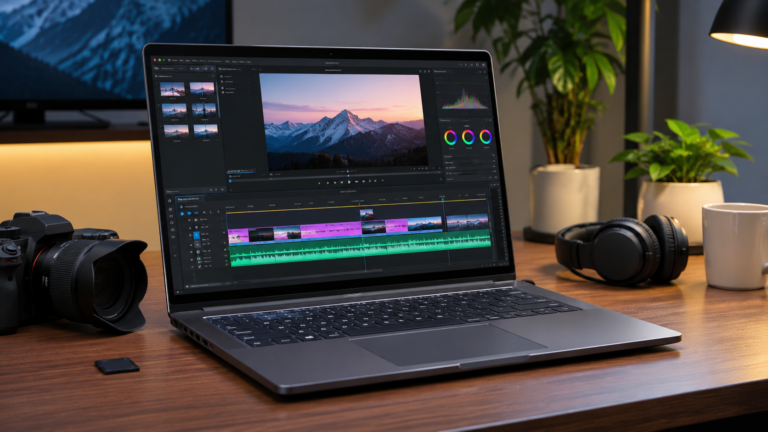
Which Laptop Should You Edit Videos On?
You add a second video layer, apply a colour filter, and the preview starts to stutter. Most of the time, the problem is not your skill. It is the laptop.
Good video editing laptops depend on three things: the graphics card, the RAM and the cooling. The brand name matters far less.
All five laptops in this guide are gaming laptops, and that is on purpose. In India, they give you a dedicated NVIDIA graphics card at a price that creator laptops rarely match. If your budget is tighter, our guide to gaming laptops under 80000 covers more options.
One honest warning before we begin. Gaming laptops are heavy, and most do not promise accurate colours. We point out these limits for every laptop below.
Quick Answer: The Lenovo LOQ 15 is the strongest editing laptop here, thanks to its RTX 4060 with 8GB graphics memory. The HP Victus 15 and Acer Nitro V15 are the sensible budget picks with an RTX 4050. The ASUS TUF A15 has a good processor but a weaker graphics card for editing.
What Actually Matters for Video Editing
Graphics Card and VRAM
Editing software uses the graphics card to play previews smoothly and apply effects. VRAM is the card’s own memory. DaVinci Resolve in particular needs a lot of it, so 8GB gives you more breathing room than 4GB or 6GB.
RAM
16GB is fine for 1080p and beginner projects. If you edit 4K footage or use After Effects, 32GB feels much better. Check that the laptop lets you add more RAM later.
Storage
Video files are big. A 512GB SSD fills up quicker than you expect. Plan to buy an external SSD for finished projects.
Display
For YouTube and Instagram work, look for 100% sRGB. It covers the standard colour range used on the web. If a listing does not mention colour coverage, do not assume it is accurate.
Cooling and Weight
Exporting a video pushes the laptop hard for a long time. Better cooling keeps the speed steady. The trade-off is weight, so expect most of these laptops to weigh around 2 kg or more.
All 5 Video Editing Laptops Compared
| # | Laptop | Processor | RAM | Graphics | Storage | Display |
|---|---|---|---|---|---|---|
| 1 | Lenovo LOQ 15 Best Performance | Core i7-13650HX | 16GB DDR5 | RTX 4060 8GB | 512GB SSD | 15.6″ FHD 144Hz, 100% sRGB |
| 2 | HP Victus 15 Budget Pick | Core i5-13420H | 16GB DDR4 | RTX 4050 6GB | 512GB SSD | 15.6″ FHD 144Hz |
| 3 | ASUS TUF Gaming A15 Strong CPU | Ryzen 7 7445HS | 16GB | RTX 3050 4GB | 512GB SSD | 15.6″ Full HD |
| 4 | Acer Nitro V15 Balanced | Core i5-13420H | 16GB | RTX 4050 6GB | 512GB SSD | 15.6″ FHD 144Hz |
| 5 | Acer Nitro Lite 16 Taller Screen | Core i5-13420H | 16GB | RTX 3050 6GB* | 512GB SSD | 16″ 1920×1200 |
*Check the exact variant. Some Nitro Lite 16 versions sold in India use an RTX 4050. Configurations vary by seller.
1. Lenovo LOQ 15 — Best Performance in This Guide
The LOQ 15 is the strongest editing machine of the five on paper. It pairs a 14-core Core i7 with an RTX 4060 that has 8GB of its own memory.
Lenovo LOQ 15 (15IRX9)
Best Performance · RTX 4060 8GB · 100% sRGBHow It Performs for Editing
The processor has 14 cores and 20 threads. That helps most during export, when the CPU works at full strength.
The 8GB of graphics memory is the bigger advantage. Premiere Pro and DaVinci Resolve have more room for effects and colour work than on the 4GB and 6GB cards in this list.
The 100% sRGB screen is useful for YouTube and Instagram videos. For heavy 4K timelines, use proxy files and consider adding RAM. Listings we checked show two memory slots, so an upgrade should be possible.
Where It Falls Short
At about 2.38 kg, it is not a laptop to carry around all day. The 60Wh battery will not last long during editing, so keep the charger close. The body is plastic, and 512GB of storage fills quickly.
Pros
- RTX 4060 with 8GB VRAM
- 14-core Core i7 for fast exports
- 100% sRGB display
- PCIe Gen 4 SSD
Cons
- Heavy at about 2.38 kg
- Only 512GB storage
- Plastic body
- Listings were generally pricier than the other four
2. HP Victus 15 — Best for Budget Editing
The Victus 15 gives you an RTX 4050 and 16GB RAM without pushing your budget too far. It is a good starting point for beginners.
HP Victus 15 (15-FA1082WM)
Budget Editing · RTX 4050 6GB · 144HzHow It Performs for Editing
The Core i5-13420H has 8 cores and 12 threads. That is enough for 1080p editing in Premiere Pro, CapCut or similar software.
The RTX 4050 with 6GB VRAM is a step below the LOQ’s RTX 4060. It handles everyday YouTube edits well, but heavy 4K effects will slow it down.
Where It Falls Short
The RAM is DDR4, which is older and slower than the DDR5 in the LOQ. You may not notice the difference in daily editing. The listing we received does not state colour coverage, so do not count on accurate colours.
One more thing to keep in mind: a model code ending in “WM” usually points to a US-market version. Check the exact listing on Amazon or Flipkart India before you order.
Pros
- RTX 4050 6GB at a lower budget
- Fast PCIe Gen 4 SSD
- 144Hz display
- 16GB RAM as standard
Cons
- DDR4 RAM is older tech
- Colour coverage not listed
- 6GB VRAM limits heavy 4K work
- Core i5 has fewer cores than the LOQ
3. ASUS TUF Gaming A15 — Great CPU, Limited Graphics Memory
The TUF A15 has a Ryzen 7 processor, which sounds impressive. The catch is its RTX 3050 with only 4GB of VRAM, and that matters more for editing.
ASUS TUF Gaming A15 (FA506NCG-HN200WS)
Ryzen 7 7445HS · RTX 3050 4GB · Office 2024 IncludedHow It Performs for Editing
The Ryzen 7 7445HS has 6 cores and 12 threads, and it is a capable processor for timelines and exports. Basic 1080p cuts, CapCut projects and light colour work are fine.
The weak spot is the 4GB graphics memory. In DaVinci Resolve, heavy effects can use it up quickly, and you may see slowdowns that the Nitro V15 or Victus 15 avoid.
Where It Falls Short
For video editing, it is the weakest of the five despite the Ryzen 7 label. It makes sense only if you find it clearly cheaper than the RTX 4050 laptops, or you also game and care about Microsoft Office being included.
Pros
- Ryzen 7 handles timelines and exports well
- Microsoft Office Home 2024 included in the Reliance listing
- 16GB RAM as standard
Cons
- Only 4GB VRAM
- RTX 3050 is the oldest GPU class here
- Heavy at about 2.3 kg
- 512GB storage
4. Acer Nitro V15 — Balanced Pick With an RTX 4050
The Nitro V15 sits close to the Victus 15 in specs and is a little lighter. It is a sensible middle path if you want RTX 4050 power without paying LOQ prices.
Acer Nitro V15 (ANV15-51)
Balanced · RTX 4050 6GB · About 2.1 kgHow It Performs for Editing
On paper, it matches the Victus 15: the same processor and the same RTX 4050 6GB. That means smooth 1080p editing and light 4K work with proxy files.
It is lighter than the LOQ 15 (about 2.38 kg) and the TUF A15 (about 2.3 kg), which helps if you carry it between home and college.
Where It Falls Short
The Nitro V15 comes in many versions. Some have Core i7 chips, others use an RTX 3050 or RTX 2050, and some ship with only 8GB RAM. Read the exact listing before you pay. Colour coverage is not stated, so treat colours as average.
Pros
- RTX 4050 with 6GB VRAM
- Lighter than the LOQ and TUF
- 144Hz IPS display
- Ethernet port and Wi-Fi 6 on listings we checked
Cons
- Many variants, some with weaker GPUs
- Some versions have only 8GB RAM
- 6GB VRAM limits heavy 4K work
- Colour coverage not listed
5. Acer Nitro Lite 16 — Lightest, With a Taller Screen
The Nitro Lite 16 uses a 16-inch screen with a 16:10 shape. For editing, the extra height gives you more room for the timeline, and it is the lightest laptop in this guide.
Acer Nitro Lite 16 (NL16-71G-56WQ)
16:10 Screen · About 1.9 kg · Check the GPU Variant*Specs for the 56WQ code are from overseas listings. Indian listings use other model codes, and at least one carries an RTX 4050 6GB.
How It Performs for Editing
The RTX 3050 6GB has more graphics memory than the TUF A15’s 4GB version, so it copes better with effects. The 1920×1200 screen shows more of your timeline and panels at once.
Some Nitro Lite 16 variants advertise 100% sRGB, but not every one does. Look at the spec sheet of the one you plan to buy.
Where It Falls Short
The RTX 3050 is weaker than the RTX 4050 in the Victus and Nitro V. One listing shows a 53Wh battery, which is smaller than the LOQ’s 60Wh. It has a plastic shell, and 512GB fills quickly.
Pros
- 16:10 screen gives more timeline space
- Lightest of the five
- 6GB VRAM on the RTX 3050 version
- DDR5 RAM on the listing we checked
Cons
- RTX 3050 trails the RTX 4050
- Variants differ by country and seller
- Smaller battery on one listing
- Plastic build
The Limit of Gaming Laptops for Editing
Gaming laptops are built for speed, not colour accuracy. If you do client work that needs exact colours, pair the laptop with a calibrated external monitor. Also plan for an external SSD, because 512GB will not last long.
Which Video Editing Laptop Should You Buy?
All five can edit videos. The right pick depends on your footage and your budget.
Frequently Asked Questions — Laptops for Video Editing
You May Also Like
More laptop guides from ValueBharat