Grammarly vs QuillBot vs Wordtune — The Short Answer
These three tools serve very different writing needs. Moreover, picking the wrong one wastes time and money. As a result, understanding what each tool does is more important than picking the most popular one.
What Each Tool Was Built to Do
Grammarly checks grammar, spelling, and writing tone. QuillBot rewrites and paraphrases your existing text. Furthermore, Wordtune gives you natural-sounding sentence rewrites with creative options. As a result, each tool solves a completely different writing problem.
Moreover, many writers use two tools together for better results. For example, QuillBot paraphrases a draft first, and then Grammarly cleans up the grammar. As a result, combining tools often beats using just one.
Why This Comparison Matters in 2026
AI writing tools have improved significantly this year. Furthermore, prices are now almost identical across all three tools. As a result, features and use case fit matter far more than price when choosing between them.
In addition, each tool now offers a browser extension. However, they differ in which websites and apps they support. As a result, integration with your daily workflow is a key factor to consider before picking one.
💡 Quick Answer: Choose Grammarly for grammar and professional emails. Choose QuillBot for paraphrasing and summarising long content. Choose Wordtune for natural sentence rewrites and tone control. As a result, your writing goal decides the best tool — not which one is most advertised.
⚡ At a Glance — All Three Tools
- ✍ Grammarly — Best grammar, tone, and professional writing quality
- 🔄 QuillBot — Best paraphrasing, summarising, and content rewriting
- 🌟 Wordtune — Best natural rewrites and creative sentence options
- 💰 Cheapest Paid — Grammarly ($12/mo), QuillBot ($10/mo), Wordtune ($10/mo)
- 🏆 Best Free Plan — QuillBot wins by a large margin
- 📚 Best for Students — QuillBot is the clear winner
- 💼 Best for Professionals — Grammarly wins every time
Full Feature Comparison — All Three Tools
This table shows every major feature. Moreover, it reveals exactly where each tool wins and loses. As a result, you can pick your tool in under one minute.
Feature-by-Feature Breakdown
| Feature | Grammarly | QuillBot | Wordtune |
|---|---|---|---|
| Primary Use | Grammar checking | Paraphrasing | Sentence rewriting |
| Free Plan | Yes — basic | Yes — very generous | Yes — 10/day only |
| Paid Plan | $12/month | $10/month | $10/month |
| Grammar Fix 🏆 Grammarly Wins | ★★★★★ | ★★★ | ★★★ |
| Paraphrasing 🏆 QuillBot Wins | ★★ | ★★★★★ | ★★★★ |
| Natural Rewrites 🏆 Wordtune Wins | ★★ | ★★★ | ★★★★★ |
| Tone Detection | ★★★★★ Best | ★★ | ★★★★ |
| Summariser | No | Yes — excellent | No |
| Plagiarism Check | Yes (Premium) | Yes (Premium) | No |
| Works in Gmail | Yes ✓ | No | Yes ✓ |
| Google Docs | Yes ✓ | Yes ✓ | Yes ✓ |
| Best For | Professionals | Students, bloggers | Creative writers |
| Overall Rating | ★★★★★ 9.4 | ★★★★☆ 9.0 | ★★★★☆ 8.5 |
Grammarly — Best AI Grammar and Writing Tool
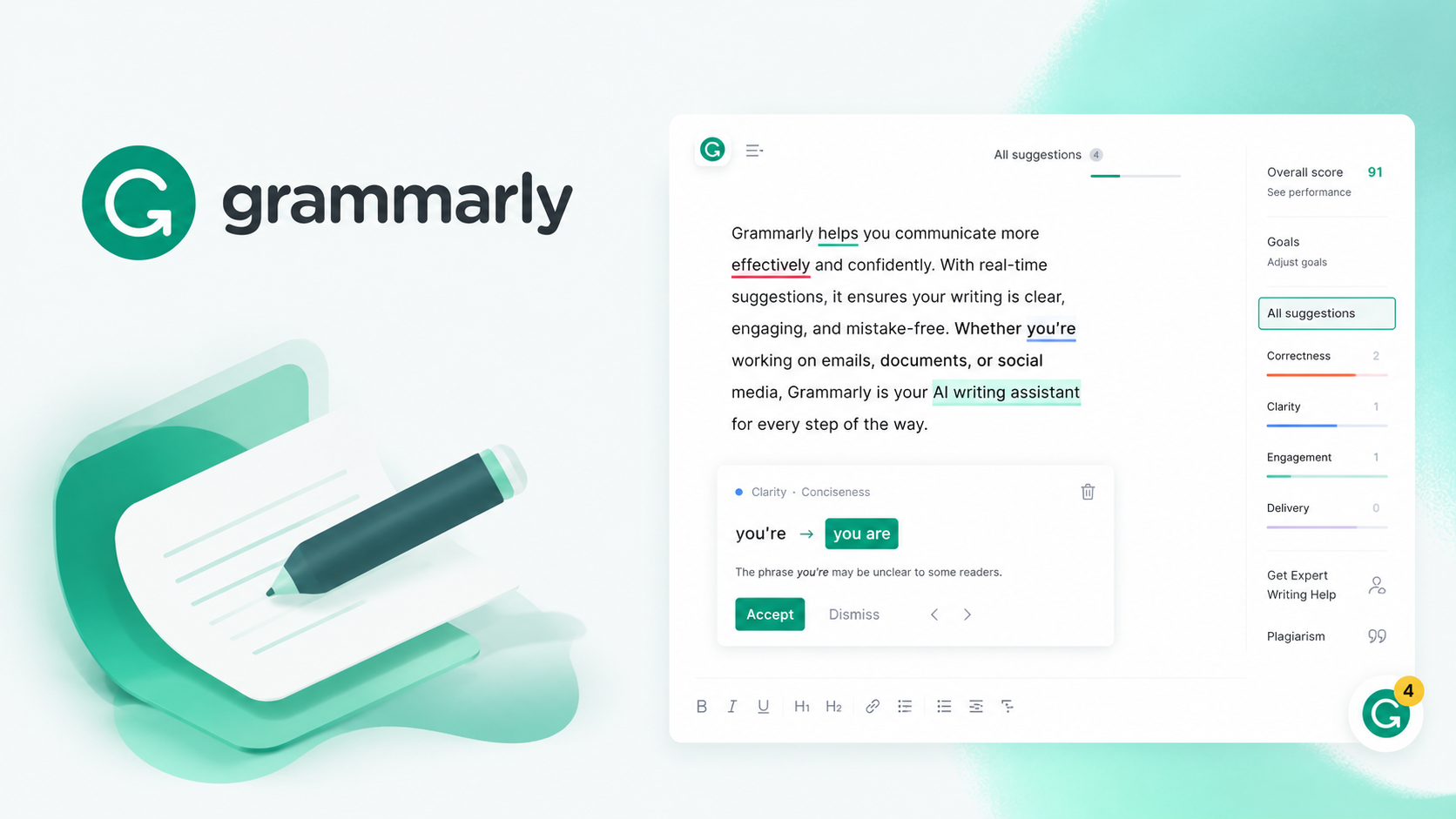
Grammarly is the world’s most popular AI writing assistant. Moreover, it checks grammar, spelling, tone, and clarity all at once. As a result, it is the top tool for professionals and students who need error-free writing fast.
Grammarly
✍ Best Grammar · Tone Detection · Gmail Integration · Free Plan · Plagiarism CheckWhat Grammarly Does Better Than Everyone
Grammarly’s grammar engine catches errors that other tools miss completely. Moreover, it explains every correction with a clear reason. Furthermore, the tone detector tells you if an email sounds rude, formal, or uncertain. As a result, Grammarly improves communication quality, not just sentence structure.
How Grammarly Works in Your Daily Writing
Install the Chrome extension and Grammarly works inside Gmail, LinkedIn, and Google Docs instantly. Moreover, red underlines appear under errors as you type in real time. Furthermore, each suggestion includes a brief explanation so you learn as you write. As a result, your writing skills genuinely improve over time with regular Grammarly use.
Grammarly Free vs Premium — What You Get
The free plan handles basic spelling and grammar reliably. However, tone suggestions, clarity fixes, and plagiarism checks all need Premium. Moreover, Premium also rewrites full sentences and gives better vocabulary suggestions. As a result, casual writers do fine on free, but professionals will want Premium for sure.
✓ Grammarly Pros
- Best grammar accuracy of all three
- Tone detector is genuinely useful
- Works inside Gmail and LinkedIn
- Explains every suggestion clearly
- Free plan covers basic writing needs
- Strong mobile keyboard app
- Plagiarism checker in Premium
✗ Grammarly Cons
- Paraphrasing is very limited
- No summariser feature at all
- Premium costs more than rivals
- Can be too aggressive with suggestions
QuillBot — Best AI Paraphrasing and Rewriting Tool
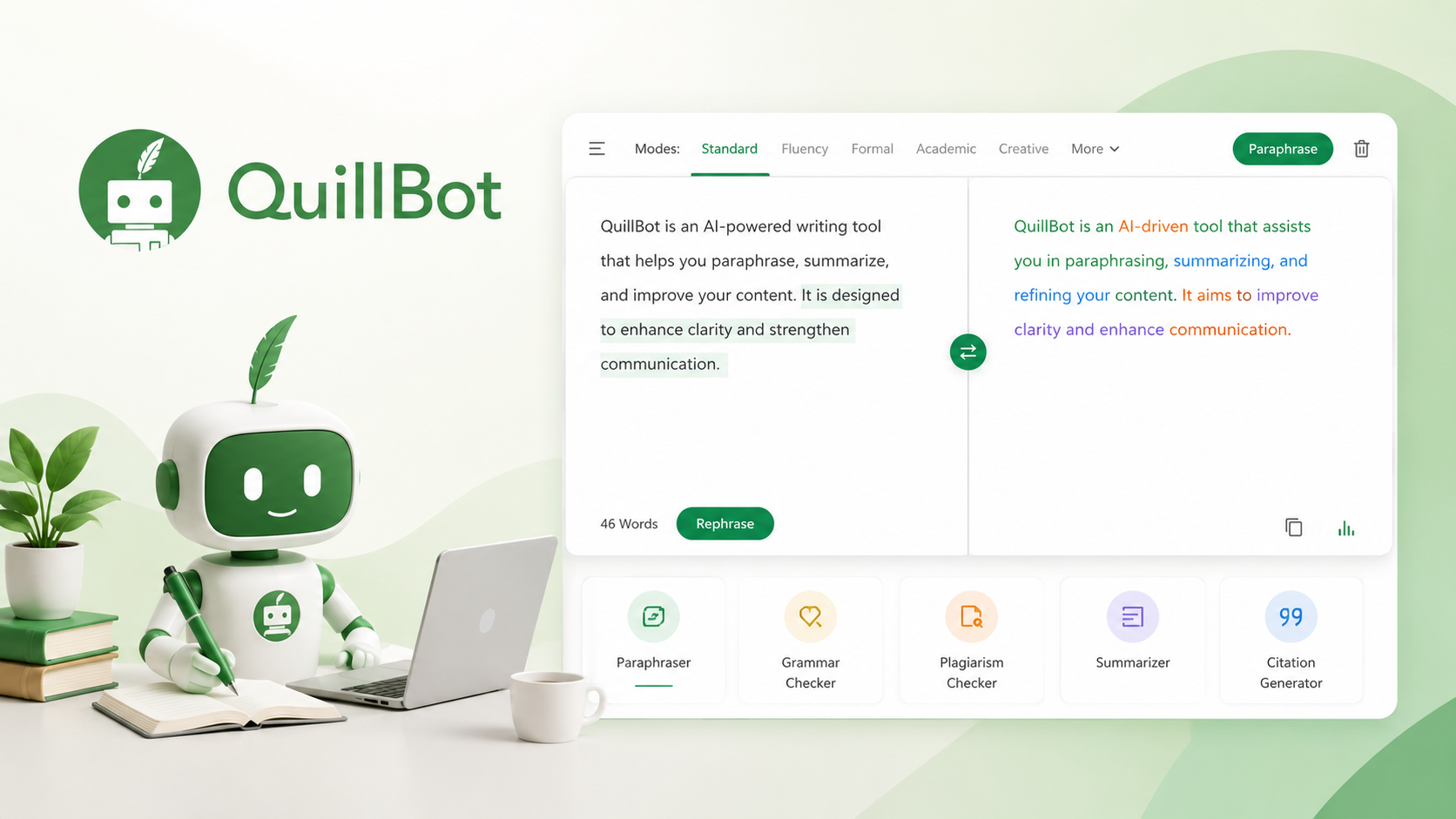
QuillBot is the top paraphrasing tool available today. Moreover, its free plan is far more generous than Grammarly or Wordtune. As a result, millions of students and bloggers in India use QuillBot every single day.
QuillBot
🔄 Best Paraphrasing · Article Summariser · Most Generous Free Plan · Student FavouriteHow QuillBot Paraphrasing Actually Works
Paste your text into QuillBot and it rewrites it instantly in a new way. Moreover, you choose from 8 paraphrasing modes including Standard, Fluency, Creative, and Academic. Furthermore, a synonym slider controls how many words change in the output. As a result, you get either a mild tweak or a completely different version of the same text.
QuillBot Summariser — A Feature Grammarly Completely Lacks
The QuillBot summariser condenses long articles into short bullet points fast. Moreover, it handles research papers, news articles, and long reports with ease. Furthermore, no other tool on this list includes a proper summariser feature. As a result, students and researchers save hours every week using this tool alone.
QuillBot Free Plan — How Much Do You Actually Get
The free plan allows paraphrasing of up to 125 words per session. Moreover, it includes two modes and the full summariser at zero cost. Furthermore, there is no strict daily usage cap on the free paraphraser. As a result, casual users can write productively with QuillBot Free without ever paying.
✓ QuillBot Pros
- Best paraphrasing tool available today
- Most generous free plan of all three
- Excellent article summariser included
- 8 paraphrasing modes to choose from
- Cheaper Premium than Grammarly
- Great for students and content writers
- Plagiarism checker included in Premium
✗ QuillBot Cons
- Grammar checking is very basic
- No tone detection feature
- Free plan limited to 125 words
- Does not work inside Gmail at all
The Honest Truth About These Three Tools
None of these tools does everything well. Moreover, each one solves a specific writing problem. As a result, the biggest mistake is trying to replace all three with just one tool.
Furthermore, the smartest move is combining two tools together. For example, use QuillBot to paraphrase a draft and then Grammarly to fix grammar errors. As a result, you get professional-quality writing at a fraction of the cost of hiring an editor.
Wordtune — Best AI Rewriting Tool for Natural Results
Wordtune focuses on making your writing sound more natural and human. Moreover, it gives multiple rewrite options per sentence instead of one fixed correction. As a result, writers get creative control over how their content improves.
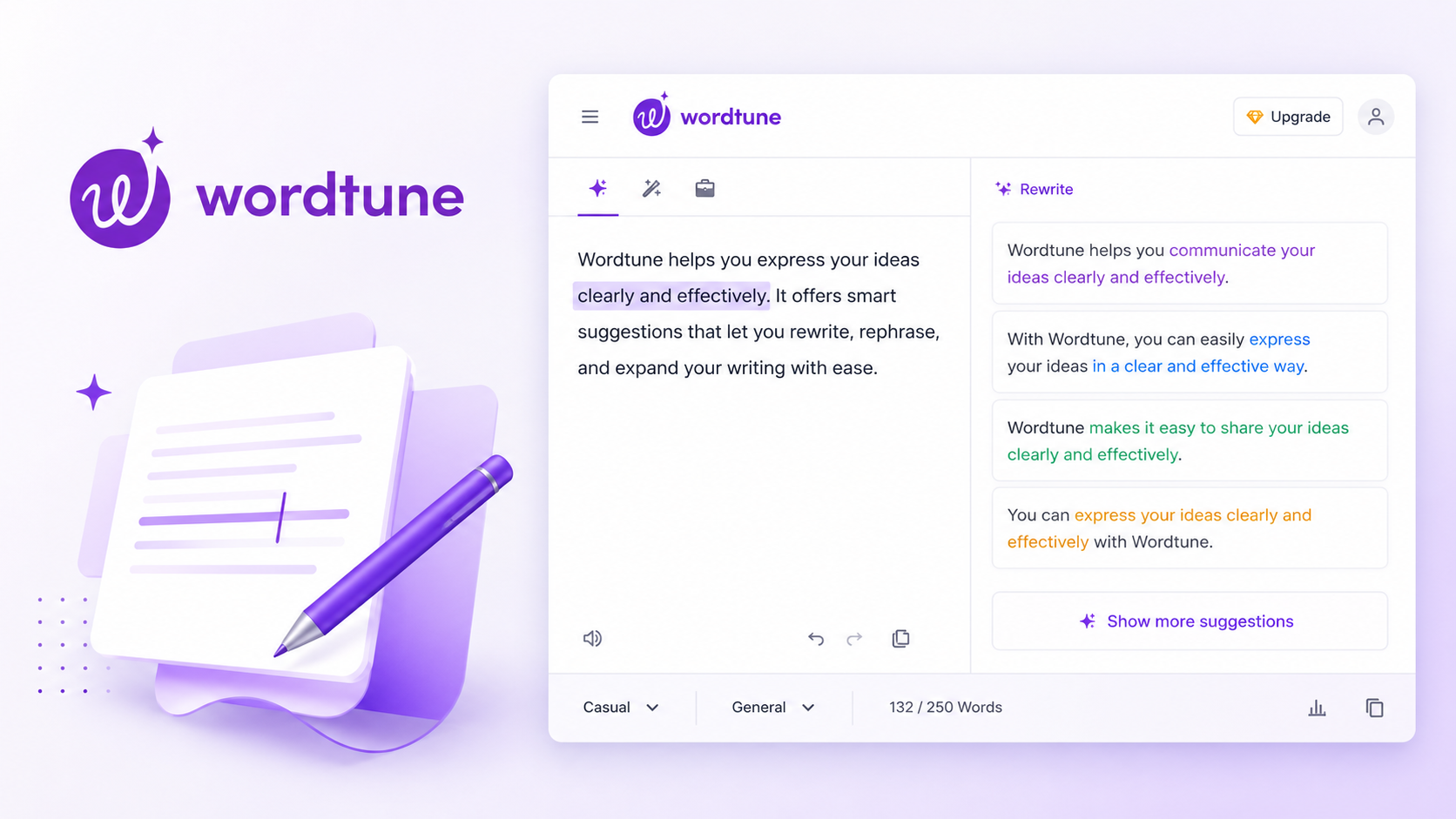
Wordtune
🌟 Natural Rewrites · Tone Control · Multiple Suggestions · AI Spices · Free PlanWhat Makes Wordtune Different From the Others
Wordtune shows 5 to 8 rewrite options for every sentence you select. Moreover, each option sounds genuinely different from the others. Furthermore, the Casual and Formal tone switches adjust your writing style instantly. As a result, Wordtune gives writers creative control that neither Grammarly nor QuillBot offers.
AI Spices — Wordtune’s Most Unique Feature
AI Spices adds examples, statistics, and analogies to your writing automatically. Moreover, it helps expand thin content by suggesting supporting sentences in context. Furthermore, this feature is completely unique to Wordtune — the other two tools have nothing similar. As a result, bloggers who struggle with short or thin content will find Wordtune genuinely useful.
Wordtune Free Plan — Is 10 Rewrites Per Day Enough
Ten daily rewrites is quite limiting for regular writers. Moreover, the free plan resets each day, so heavy users hit the limit fast. Furthermore, AI Spices and full tone controls are locked behind the paid plan. As a result, Wordtune’s free tier suits only very light or occasional use cases.
✓ Wordtune Pros
- Most natural-sounding rewrites available
- Multiple suggestions per sentence
- Casual and Formal tone switch
- AI Spices adds examples automatically
- Works inside Gmail and Google Docs
- Same price as QuillBot Premium
✗ Wordtune Cons
- Free plan only 10 rewrites per day
- No paraphrasing of long documents
- No summariser feature at all
- Grammar fixing is very basic
- No plagiarism checker included
Category by Category — Who Wins Each Round
Each tool dominates a different category. Moreover, knowing which tool wins each area helps you decide fast. As a result, here is a clear breakdown of every major comparison between them.
Grammar Checking — Grammarly Wins Clearly
Grammarly catches complex errors that both QuillBot and Wordtune miss. Moreover, it explains why each correction matters, which helps you learn. Furthermore, tone detection is a feature only Grammarly does well in this group. As a result, for pure grammar fixing, Grammarly has no real competition here.
Paraphrasing — QuillBot Wins by a Large Margin
QuillBot is the best paraphrasing tool by far of the three. Moreover, eight modes give you far more control than the other options. Furthermore, QuillBot handles full paragraphs and long articles very easily. As a result, students and bloggers who rephrase content will always choose QuillBot.
Natural Rewrites — Wordtune Wins for Creative Writers
Wordtune produces the most natural-sounding rewrites of all three tools. Moreover, showing multiple options per sentence gives real creative freedom. Furthermore, the Casual vs Formal tone switch is something Grammarly and QuillBot lack. As a result, writers who care about voice and style will prefer Wordtune over the others.
Summarising Long Content — QuillBot Wins Exclusively
Only QuillBot includes a proper article summariser feature. Moreover, neither Grammarly nor Wordtune offers this at all. Furthermore, QuillBot’s summariser handles research papers and long reports effortlessly. As a result, if summarising matters to you, QuillBot is the only option on this list.
Best Free Plan — QuillBot Wins on Every Measure
QuillBot’s free plan is the most generous of all three by far. Moreover, it includes paraphrasing without a strict daily word limit. Furthermore, the full summariser is available at zero cost too. As a result, budget-conscious users should always start with QuillBot Free first.
| Category | Winner | Runner Up | Last Place |
|---|---|---|---|
| Grammar Checking | ✍ Grammarly 🏆 | 🌟 Wordtune | 🔄 QuillBot |
| Paraphrasing | 🔄 QuillBot 🏆 | 🌟 Wordtune | ✍ Grammarly |
| Natural Rewrites | 🌟 Wordtune 🏆 | 🔄 QuillBot | ✍ Grammarly |
| Tone Detection | ✍ Grammarly 🏆 | 🌟 Wordtune | 🔄 QuillBot |
| Article Summariser | 🔄 QuillBot 🏆 | N/A — | N/A — |
| Plagiarism Check | ✍ Grammarly 🏆 | 🔄 QuillBot | 🌟 Wordtune |
| Best Free Plan | 🔄 QuillBot 🏆 | ✍ Grammarly | 🌟 Wordtune |
| Works in Gmail | ✍ Grammarly 🏆 | 🌟 Wordtune | 🔄 QuillBot |
| Best for Students | 🔄 QuillBot 🏆 | ✍ Grammarly | 🌟 Wordtune |
| Best for Professionals | ✍ Grammarly 🏆 | 🌟 Wordtune | 🔄 QuillBot |
Which Tool Should You Choose?
The right tool depends on your writing goal. Moreover, your budget and how often you write also matter. As a result, here is a clear user-based matching guide.
Match Your Need to the Right Tool
Students — Choose QuillBot
QuillBot’s free plan covers most student needs generously. Moreover, paraphrasing assignments and summarising research saves huge time. Furthermore, the plagiarism checker in Premium helps ensure academic integrity. As a result, QuillBot is the most practical free tool for Indian students.
Professionals — Choose Grammarly
Emails, reports, and proposals demand accurate grammar and the right tone. Moreover, Grammarly works directly inside Gmail and LinkedIn every day. Furthermore, tone detection prevents embarrassing misunderstandings in client communication. As a result, Grammarly Premium is the best investment for daily professional writing.
Bloggers — Use QuillBot Plus Grammarly
Bloggers benefit from QuillBot paraphrasing and Grammarly grammar fixing together. Moreover, this combination covers every stage of writing and editing. Furthermore, both tools have Chrome extensions that work in WordPress and Google Docs. As a result, combining both gives bloggers the most complete AI writing toolkit available.
Creative Writers — Choose Wordtune
Wordtune gives creative writers the most sentence options of any tool. Moreover, multiple rewrite suggestions spark new ideas and phrasings naturally. Furthermore, AI Spices adds examples and analogies automatically when content feels thin. As a result, Wordtune is the best creative companion for writers who value voice.
Tight Budget — Start With QuillBot Free
QuillBot’s free plan needs no credit card and has no daily word limit. Moreover, the free summariser alone saves hours of reading time weekly. Furthermore, basic paraphrasing is free and unlimited in terms of sessions. As a result, QuillBot Free is the best starting point for any budget-conscious writer.
Non-Native English — Choose Grammarly
Grammarly’s explanations teach grammar rules as you write every day. Moreover, tone detection prevents cultural misunderstandings in professional emails. Furthermore, the mobile keyboard app corrects writing on WhatsApp and social apps. As a result, Grammarly is the most helpful tool for building English writing confidence.
💡 Can You Use All Three Together?
Yes — and many professional writers do exactly this. Moreover, QuillBot handles paraphrasing, Grammarly fixes grammar, and Wordtune polishes final sentences. Furthermore, all three Chrome extensions work together in Google Docs side by side. As a result, using all three in sequence gives you the highest-quality writing output possible.
Pricing Comparison — Grammarly vs QuillBot vs Wordtune
All three tools offer free plans and affordable paid options. Moreover, pricing is similar across all three at the premium tier. As a result, features — not price — should drive your final decision completely.
Annual Plans Always Save You the Most Money
| Tool | Free Plan | Monthly | Annual Per Month | Best Value |
|---|---|---|---|---|
| ✍ Grammarly 🏆 Best Grammar | Basic checks | $30/mo | $12/mo | Annual plan |
| 🔄 QuillBot 🏆 Best Free | 125 words free | $20/mo | $10/mo | Annual plan |
| 🌟 Wordtune 🏆 Best Rewrites | 10 rewrites/day | $24.99/mo | $9.99/mo | Annual plan |
Start with QuillBot Free and Grammarly Free at the same time. Moreover, use both free plans for one month to see which one you actually use more often. Furthermore, only then upgrade whichever tool you use most to the annual paid plan. As a result, you save money and make a confident decision based on real personal experience.
Final Verdict — Grammarly vs QuillBot vs Wordtune
Each tool wins in its own area. Moreover, none of them is the best choice for every single writer. As a result, match your specific writing need to the right recommendation below.
Common Questions — Answered Honestly
Which is better — Grammarly or QuillBot?
Is QuillBot better than Wordtune?
Can I use Grammarly and QuillBot together?
Is Grammarly worth paying for in 2026?
Which tool is best for students in India?
Does Wordtune check grammar properly?
Which tool has the best free plan?
Is Wordtune AI Spices feature worth upgrading for?
❤️ You May Also Like
More guides for Indian digital earners and online creators in 2026