Does Your Keyboard Actually Affect Your Gaming?
Yes — more than most people think. Keyboard latency, switch actuation force, and key travel distance all affect how fast and accurately you react in games. A slow, mushy membrane keyboard genuinely puts you at a disadvantage in fast-paced titles like BGMI, Valorant, and CS2.
The difference is most noticeable when you switch from a membrane keyboard to a mechanical one for the first time. The tactile feedback, consistent actuation, and satisfying click actually make typing and gaming feel more precise and controlled. Most gamers who switch never go back.
In India in 2026, excellent mechanical gaming keyboards start at ₹1,500 and go up to ₹10,000+. This guide covers the best options across all price points — budget, mid-range, and premium — so you can pick exactly what matches your setup and game type.
⌨️ Switch Reality Check: Red switches are for fast gaming — linear, light actuation, no tactile bump. Blue switches are for typists — tactile clicky feel, louder, not ideal for competitive gaming. Brown switches are the middle ground — tactile bump, quieter than blue, good for gaming and typing both. Pick your switch based on your game type — not just aesthetics.
Best Gaming Keyboards India 2026 — Quick Picks
⚡ Top 5 Gaming Keyboards — All Budgets
- 🥇 Redragon K552 Kumara — Best overall under ₹3,000 — TKL layout, Red switches, solid build
- 🥈 HyperX Alloy Origins Core — Best mid-range — HyperX Red switches, aircraft-grade aluminium
- 🥉 Logitech G213 Prodigy — Best membrane — Spill-resistant, comfortable for long sessions
- 🏅 Zebronics Max Plus — Best budget — Mechanical feel, RGB, under ₹1,500
- 🎖 Corsair K70 RGB Pro — Best premium — Fastest switches, detachable wrist rest, top build
All 5 Gaming Keyboards — Side-by-Side Comparison
| Keyboard | Switch Type | Layout | RGB | Connection | India Price |
|---|---|---|---|---|---|
| Redragon K552 🏆 Best Overall |
Outemu Red / Blue | TKL (87 key) | ✅ RGB | Wired USB | ₹2,199–₹2,799 |
| HyperX Alloy Origins Core ⚡ Best Mid-Range |
HyperX Red / Aqua / Blue | TKL (80%) | ✅ RGB per key | Wired USB-C | ₹6,499–₹7,499 |
| Logitech G213 🕹️ Best Membrane |
Membrane (mech feel) | Full Size | ✅ Zone RGB | Wired USB | ₹3,995–₹4,499 |
| Zebronics Max Plus 💰 Best Budget |
Outemu Blue | Full Size | ✅ Rainbow RGB | Wired USB | ₹1,299–₹1,699 |
| Corsair K70 RGB Pro 👑 Best Premium |
Cherry MX Red / Speed | Full Size | ✅ Per-key RGB | Wired USB | ₹10,999–₹12,999 |
1. Redragon K552 Kumara — The Sweet Spot for Indian Gamers
The Redragon K552 Kumara is India’s most popular gaming keyboard under ₹3,000 — and it earns that position every year. Genuine mechanical switches, solid metal plate construction, RGB lighting, and a compact TKL layout that gives your mouse more room.
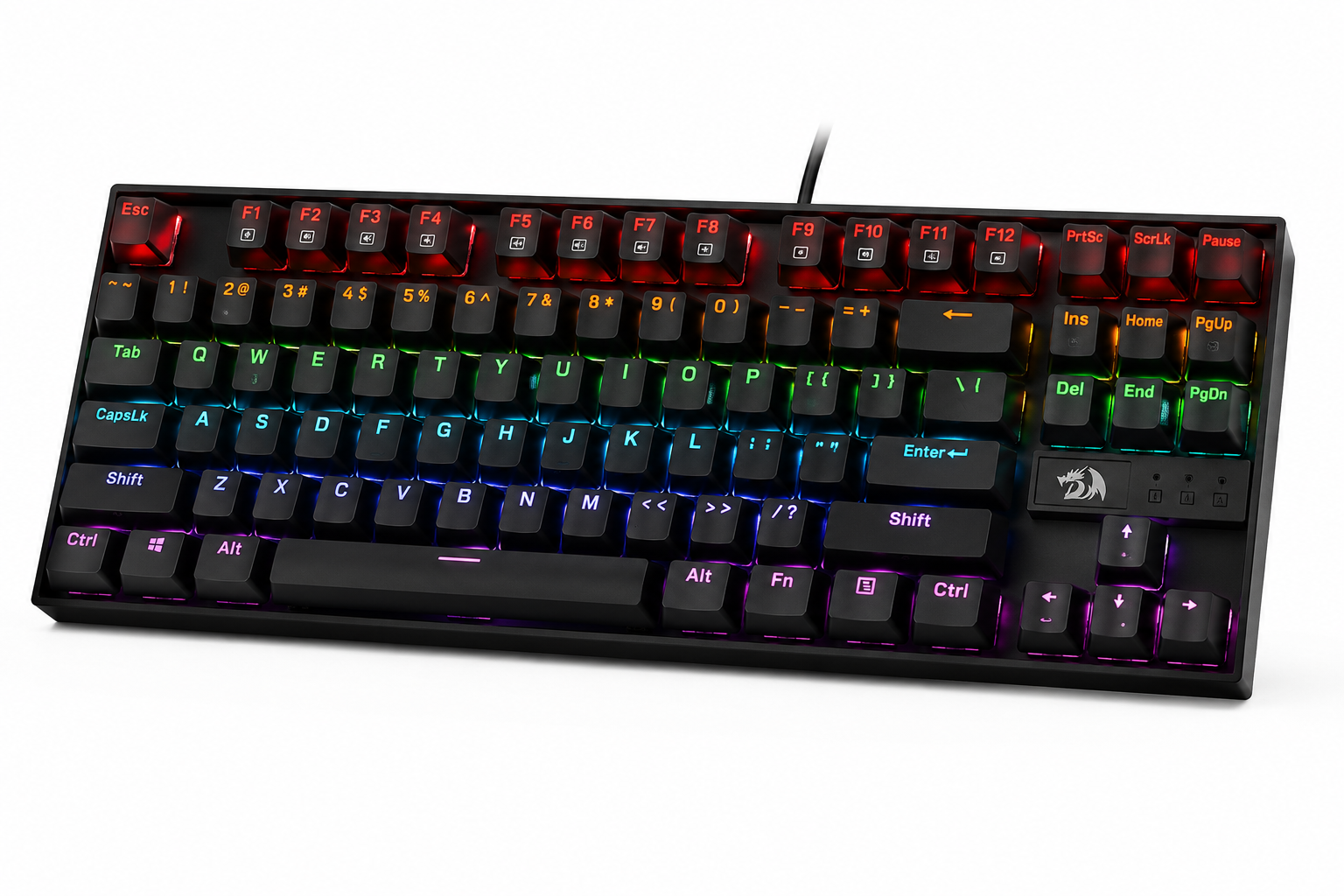
Redragon K552 Kumara
🏆 Best Overall Under ₹3,000 · TKL · Mechanical · RGBThe metal plate underneath the keycaps gives the K552 a rigidity and typing feel that is completely uncommon at this price point. Press a key and you feel it bottom out solidly — no keyboard flex, no wobble, no cheap plastic resonance. It feels like it costs twice what it does.
The TKL layout removes the numpad and gives you about 20% more desk space for mouse movement — critical for low-sensitivity gamers in FPS titles. The Red switch variant is the better choice for gaming — linear, light actuation at 45g, no tactile bump to slow down rapid key presses. Blue switch is great if you also type a lot and enjoy the click.
26-key rollover means you can press 26 keys simultaneously and all register — no ghosting during intense gaming moments. The braided cable handles daily desk setup and teardown without fraying. Overall, there is no better mechanical gaming keyboard under ₹3,000 in India right now.
✅ What We Loved
- Metal plate build — premium feel at low price
- TKL layout — more mouse space
- Genuine mechanical Outemu switches
- 26-key rollover — zero ghosting
- Braided cable — durable
- Best value mechanical keyboard in India
❌ Watch Out For
- Outemu switches — not Cherry MX quality
- ABS keycaps — can shine over time
- No wrist rest included
Varies by switch type
* Prices vary by switch variant. Verify before ordering.
2. HyperX Alloy Origins Core — Premium Feel, Serious Performance
HyperX makes keyboards used by professional esports players worldwide. The Alloy Origins Core brings that professional pedigree to a ₹6,500–₹7,500 price point with aircraft-grade aluminium construction and HyperX’s own proprietary switches.
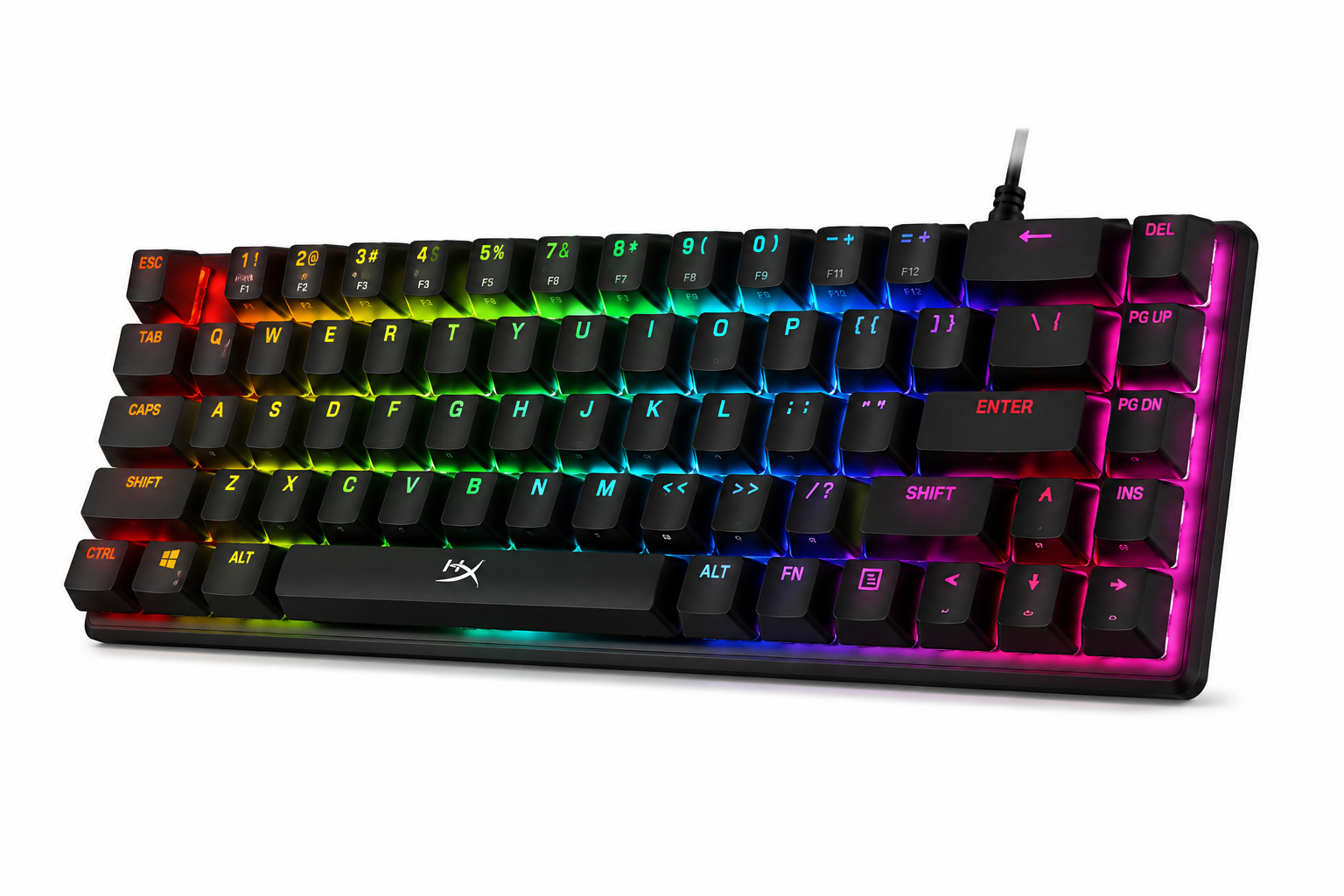
HyperX Alloy Origins Core
⚡ Best Mid-Range · Aircraft Aluminium · HyperX SwitchesPick it up and you immediately understand what “aircraft-grade aluminium” means in practice. This keyboard does not flex — not even slightly. Drop it on a desk, bang it during a losing streak, travel with it — the build quality handles everything without developing rattles or creaks. It is a tank disguised as a keyboard.
HyperX Red switches are linear with a smooth keystroke that feels noticeably better than Outemu switches. Actuation force of 45g at 1.8mm travel means you register keypresses faster with less effort — directly relevant in fast-paced FPS games where milliseconds matter. Full N-key rollover means every key press registers regardless of how many other keys are held.
The USB-C detachable cable is a genuine quality-of-life upgrade for gamers who transport their keyboard to tournaments or LAN parties. The per-key RGB through HyperX NGENUITY software allows full customisation of every individual key colour and effect — impressive at this price point.
✅ What We Loved
- Aircraft aluminium — indestructible build
- HyperX Red — buttery smooth switches
- Full N-Key Rollover — zero ghosting
- USB-C detachable — portable friendly
- Per-key RGB — full customisation
- Used by professional esports players
❌ Watch Out For
- ₹6,500+ — significant budget jump
- No wrist rest included
- Software required for full RGB control
Varies by switch variant
* Prices vary by switch variant. Verify before ordering.
3. Logitech G213 Prodigy — When Membrane Is Actually the Right Choice
Not every gamer needs or wants a mechanical keyboard. If you share your living space, game late at night, or prefer quieter typing, the Logitech G213 Prodigy delivers gaming-grade performance through an advanced membrane that feels closer to mechanical than any other membrane keyboard at this price.
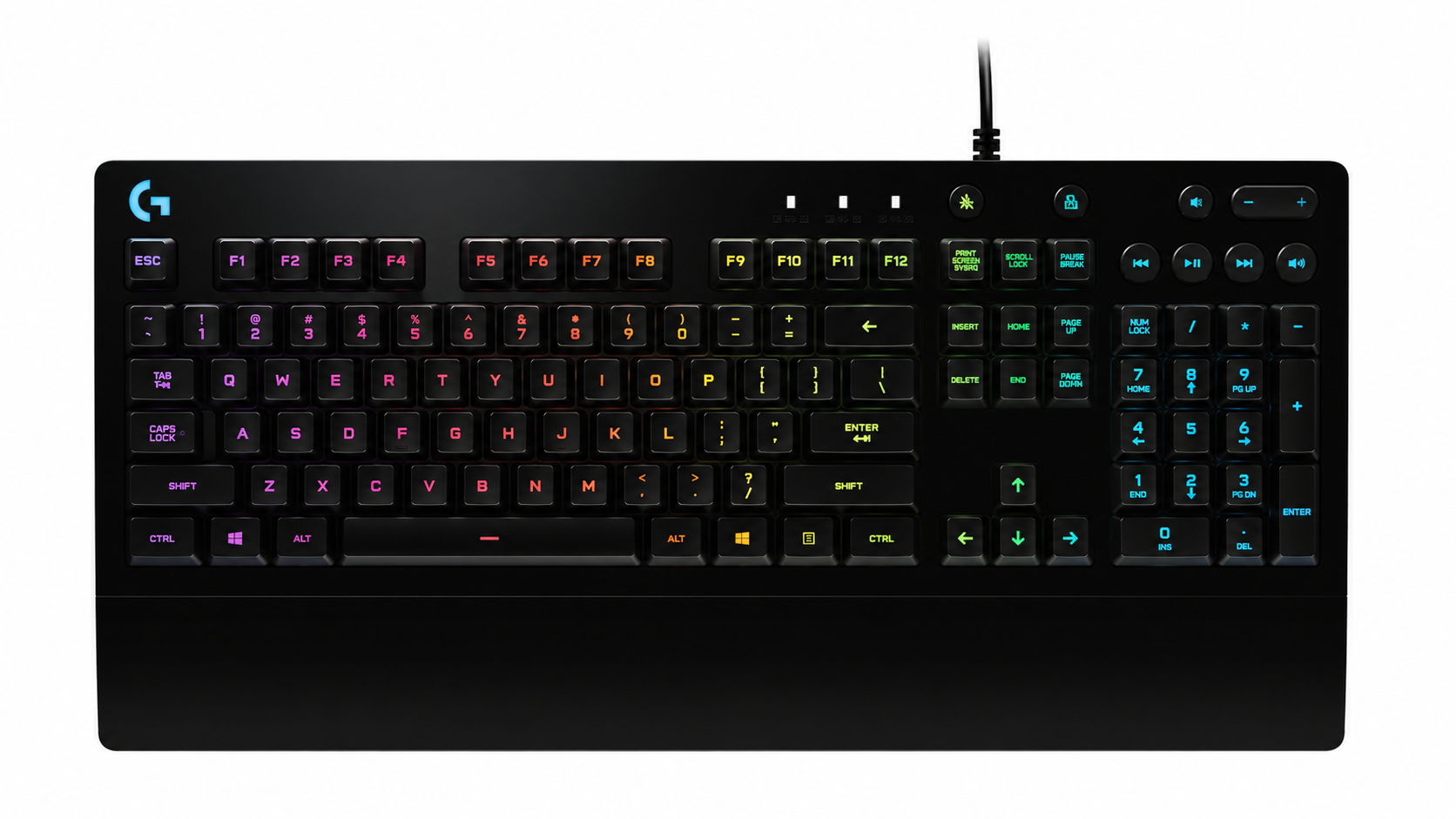
Logitech G213 Prodigy
🕹️ Best Membrane · Quiet · Spill-Resistant · Logitech QualityLogitech’s “Mech-Dome” technology sits between traditional membrane and mechanical — individual rubber domes with a longer travel and more defined actuation than regular membrane keyboards. The result is a keyboard that feels substantially better than budget membranes while remaining significantly quieter than any mechanical switch.
The integrated palm rest is a standout feature — it is contoured, comfortable, and genuinely reduces wrist strain during long gaming sessions. The spill resistance means a knocked-over drink does not end your keyboard’s life. For shared desks, family homes, and late-night gaming — these practical advantages matter as much as performance specifications.
Logitech G HUB software is the best keyboard customisation software available — intuitive, reliable, and compatible with the entire Logitech G ecosystem. If you already use a Logitech G mouse, the G213 integrates seamlessly with shared lighting effects across your entire setup.
✅ What We Loved
- Quiet — great for shared spaces
- Built-in wrist rest — long sessions
- Spill resistant — practical for real life
- Logitech build quality — very reliable
- G HUB software — best in class
- Full size layout — numpad included
❌ Watch Out For
- Membrane — not true mechanical feel
- Slower actuation vs mechanical switches
- 5-zone RGB — not per-key
Check current price
* Prices may vary. Verify before ordering.
4. Zebronics Max Plus — Best Gaming Keyboard Under ₹1,500
Zebronics is India’s most accessible gaming peripherals brand — available in every electronics shop and on every online platform. The Max Plus delivers mechanical switches, RGB lighting, and a full-size layout at a price that is genuinely hard to argue with.
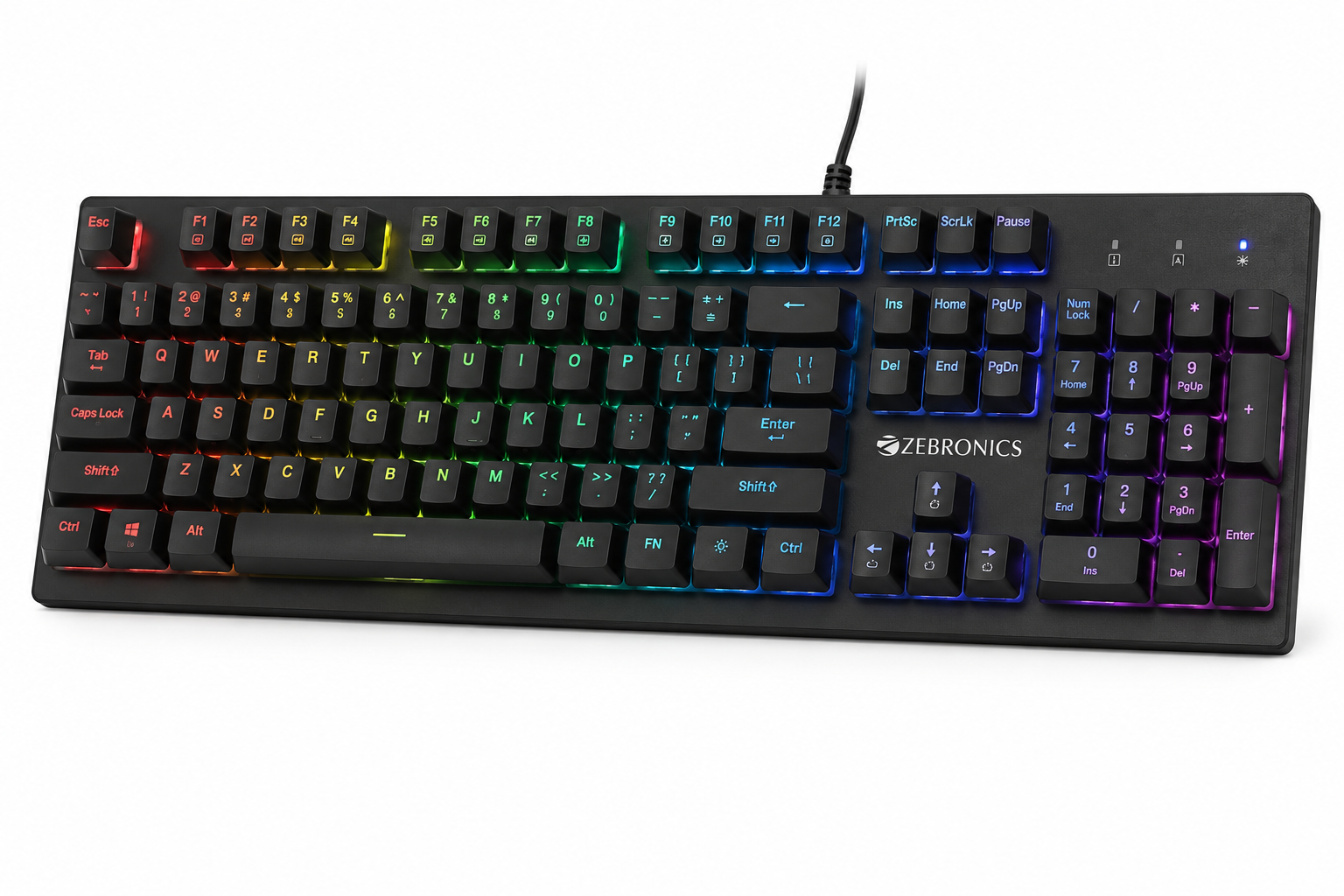
Zebronics Max Plus
💰 Best Budget · Under ₹1,500 · Mechanical · RGBAt under ₹1,500, the Zebronics Max Plus gives you genuine mechanical switches — not membrane, not mechanical-feel membrane, but actual individual mechanical switches with tactile click feedback. For a first-time buyer who wants to try mechanical without major investment, this is the entry point.
The Outemu Blue switches are clicky and tactile — satisfying to type on and immediately different from membrane. The Blue switch variant is better suited to casual gaming and typing than competitive fast-paced gaming — Blue switches have a tactile bump that can slow down rapid repeated keypresses slightly.
Build quality is functional rather than premium — ABS plastic body with moderate flex. The keyboard gets the job done reliably for 1–2 years of moderate daily use. The 12-key rollover covers most gaming scenarios. Zebronics availability at local shops means easy service or replacement if needed.
✅ What We Loved
- Real mechanical switches under ₹1,500
- RGB lighting — looks great on any desk
- Full 104-key layout
- Zebronics — wide India availability
- Good entry point for first-timers
❌ Watch Out For
- Blue switches — noisy, not ideal for FPS
- Plastic build — less durable long-term
- 12-key rollover — limited vs others
Most affordable on list
* Prices vary. Verify current price before ordering.
5. Corsair K70 RGB Pro — No Compromises, Pure Gaming Performance
The Corsair K70 RGB Pro is what a keyboard looks like when the manufacturer stops making compromises. Cherry MX switches — the gold standard of mechanical gaming switches — aircraft aluminium frame, per-key RGB with iCUE software, and a magnetic detachable wrist rest. This is the keyboard serious competitive gamers buy and keep for years.
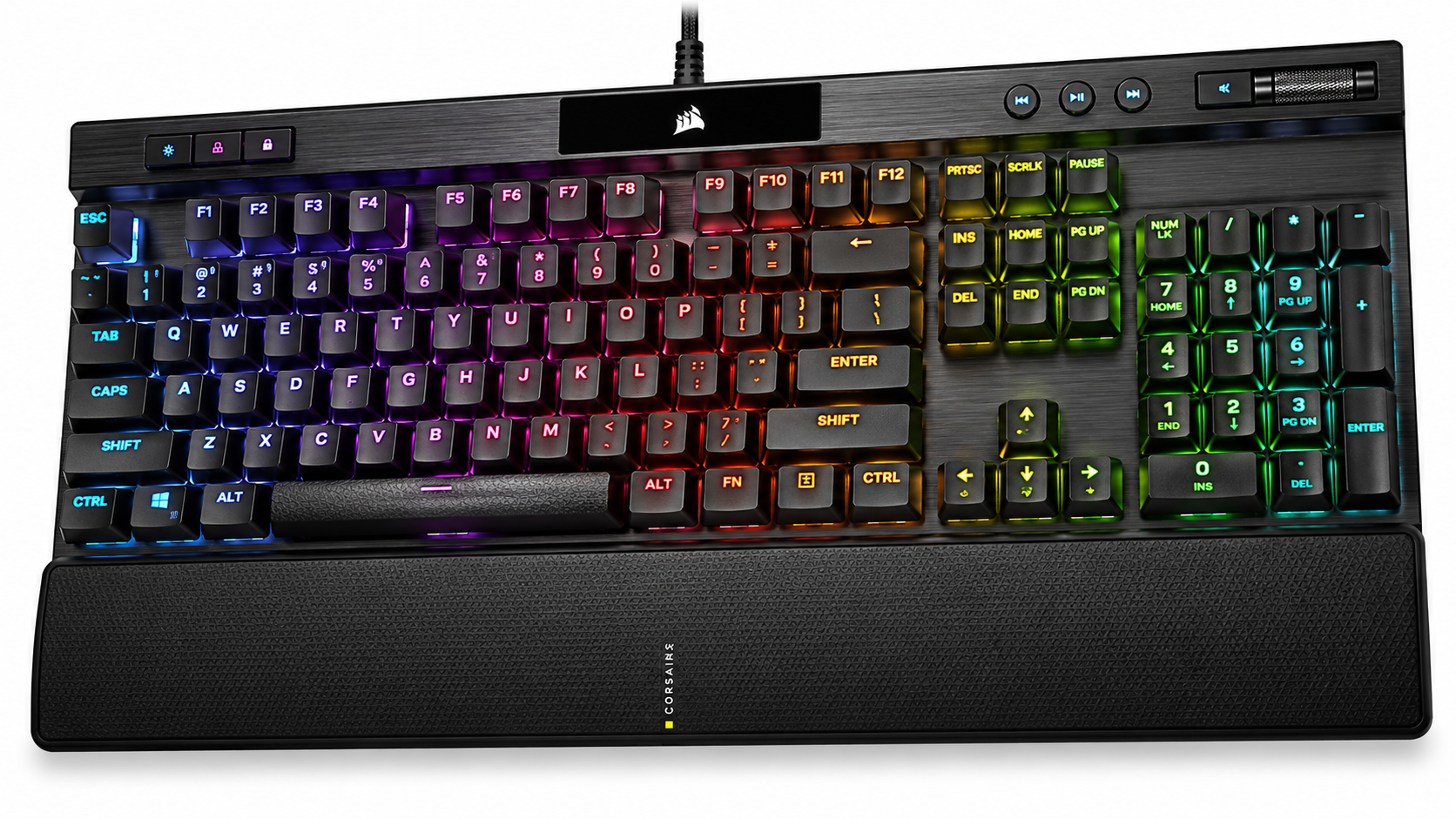
Corsair K70 RGB Pro
👑 Best Premium · Cherry MX · Wrist Rest · No CompromisesCherry MX Red switches are the benchmark against which all other linear gaming switches are measured. The consistency, smoothness, and longevity of Cherry MX switches — rated for 100 million keystrokes — is simply not matched by Outemu or HyperX at equivalent actuation weight. Once you game on Cherry MX, the difference from budget switches is immediately and permanently felt.
The Cherry MX Speed variant (also called Silver) has an actuation point of just 1.2mm — the fastest available in any mainstream gaming switch. For competitive FPS gamers, this translates to faster keypress registration, which at high enough skill levels genuinely affects reaction time outcomes in close-range engagements.
The magnetic leatherette wrist rest is the quality-of-life feature that long-session gamers appreciate most. Wrist strain during 4–6 hour gaming sessions is real — the K70’s padded leatherette rest prevents the carpal tunnel buildup that comes from unsupported wrist positioning. It clicks on magnetically, removes cleanly, and looks genuinely premium on any desk setup. Corsair iCUE software is the most feature-rich RGB customisation platform available — game integration, reactive lighting, and macro programming that rivals dedicated software tools.
✅ What We Loved
- Cherry MX — best mechanical switches available
- MX Speed — fastest actuation possible
- Aluminium frame — built to last a decade
- Magnetic wrist rest — premium comfort
- Per-key RGB — best lighting on list
- iCUE — most powerful gaming software
❌ Watch Out For
- ₹11,000+ — significant investment
- iCUE software is resource-heavy
- Full size layout — takes more desk space
Varies by switch variant
* Prices vary by switch variant. Verify before ordering.
The Honest Answer — Which Gaming Keyboard Should You Actually Buy?
For most Indian gamers, the Redragon K552 at ₹2,200–₹2,800 is the correct answer. It is genuinely mechanical, solidly built, well-reviewed by thousands of Indian buyers, and delivers the full mechanical gaming experience at a price that does not require serious deliberation.
If you play competitive FPS seriously and your current keyboard feels like it is holding you back — the HyperX Alloy Origins Core is the next step. If budget is the only constraint — the Zebronics Max Plus proves that mechanical does not have to cost a lot to feel different from membrane.
The Corsair K70 is for when you have decided this hobby is worth investing in properly. It is not impulsive — it is deliberate. And it rewards that decision for years.
📖 Switch Guide Below →How to Choose the Right Gaming Keyboard — 6 Key Factors
Red Switches — For Competitive Gamers
Linear switches with no tactile bump and light actuation (45g). Register keystrokes cleanly and quickly without resistance. Best for FPS games — BGMI, Valorant, CS2 — where rapid repeated keypresses (spraying, strafing) need to happen without switch resistance slowing you down. Quieter than Blue switches.
Blue Switches — For Typers Who Also Game
Tactile clicky switches with an audible click at the actuation point. Satisfying for typing — you feel and hear exactly when a key registers. Noisier than Red or Brown switches — not ideal for late-night gaming in shared spaces. Great for MMO and strategy games where rapid keypresses matter less.
Brown Switches — The Middle Ground
Tactile bump without the audible click of Blue switches. Quieter than Blue, more feedback than Red. Good all-rounder for gamers who also type heavily — assignments, work, coding. The most popular switch for students who use their gaming keyboard for productivity as well as gaming.
TKL vs Full Size — Layout Decision
Full-size keyboards include a numpad. TKL (tenkeyless) removes the numpad for a more compact form and 20% more mouse space on the right side — critical for low-sensitivity FPS gamers who need wide mouse movement. Choose TKL for gaming priority, Full Size for productivity priority or if you use a numpad regularly.
N-Key Rollover — Why It Matters
N-key rollover means every keypress registers simultaneously regardless of how many other keys are held. In gaming, especially MOBA and MMO games, pressing movement keys, ability keys, and item keys simultaneously is common. Limited rollover (6-key) can cause missed inputs during complex key combinations. Always choose at least 26-key rollover for gaming.
RGB — Looks vs Function
RGB lighting is primarily aesthetic — it does not improve gaming performance. However, per-key RGB allows you to colour-code important keys (WASD in one colour, ability keys in another) which can reduce key-finding time in dark rooms. Zone RGB lights sections of the keyboard together. Choose per-key RGB if customisation matters to you — otherwise any RGB is equally functional for pure gaming.
💡 Membrane vs Mechanical — The Simple Truth
Membrane keyboards use a single rubber sheet under all keys — cheaper to make, quieter, but less precise and less durable. Mechanical keyboards use individual switches under each key — more expensive, more durable, more consistent actuation, and generally preferred for gaming. If you game more than 2 hours daily and take it even slightly seriously — a mechanical keyboard is worth the upgrade at any budget level, including the ₹1,300 Zebronics option. The difference in feel and response is immediately noticeable from the first gaming session.
Which Gaming Keyboard Should You Buy?
Match your gaming style and budget to the right pick. Be honest about how seriously you game and what your actual constraints are.
Gaming Keyboard Questions — Answered Honestly
❤️ You May Also Like
More gaming and tech guides for Indian buyers in 2026