Introduction
Why Your Gaming Accessories Matter More Than Your PC
Gaming in has exploded in 2026. Between mobile, PC, and console, we are now talking about 500 million players across the country. Naturally, the demand for good gaming accessories has shot up with it.
Here is the thing though — most gamers make the same mistake. They pour all their money into a powerful PC or the latest console. Then, however, they ignore the accessories that actually shape how the game feels to play. The result? Great hardware, but a frustrating experience because of a stiff mouse, a muddy headset, or a keyboard that misses inputs at the worst moments.
Good accessories change everything. For example, a proper gaming mouse sharpens your aim in ways a regular office mouse simply cannot. Therefore, this guide rounds up the best gaming setup accessories for every budget in — so you know exactly where to spend first..
Gaming Fact: Studies show that gamers with proper accessories report 40% better performance and far less fatigue over long sessions. In addition, the right gaming chair alone cuts back pain by up to 50% compared to a regular chair. So investing in good gear is not just about looks — it directly affects how well you play.
Quick Answer
Best Gaming Accessories — Top Picks at a Glance
Best Gaming Accessories for 2026
- 🖱️ Best Gaming Mouse: Logitech G102 LIGHTSYNC — Precise, lightweight, RGB under ₹2,000
- ⌨️ Best Gaming Keyboard: Redragon K552 Mechanical — Real switches, RGB, TKL under ₹3,000
- 🎧 Best Gaming Headset: HyperX Cloud Stinger Core — Clear audio, comfort, under ₹3,500
- 🖥️ Best Monitor: LG 24MK430H 24″ FHD — 75Hz IPS panel, great for budget gamers
- 🪑 Best Gaming Chair: Green Soul Monster Ultimate — Best ergonomic chair under ₹15,000
- 🖱️ Best Mouse Pad: Corsair MM300 Extended — Full desk coverage, smooth surface
- 📷 Best Camera: Logitech C920 HD Pro — for YouTube & streaming under ₹7,000
Quick Comparison
All 9 Gaming Accessories — Side by Side
Not sure where to start? This table gives you a clear snapshot of all eight products. In addition, you can compare prices and priority levels at a glance — which makes it much easier to decide what fits your current budge
| Accessory | Best Pick | Price | Best For |
|---|---|---|---|
| Gaming Mouse | Logitech G102 | ₹1,499–₹2,199 | FPS, MOBA, all game types |
| Mechanical Keyboard | Redragon K552 | ₹2,499–₹3,299 | FPS gaming, typing, coding |
| Gaming Headset | HyperX Cloud Stinger | ₹2,999–₹3,999 | Online multiplayer, voice chat |
| Gaming Monitor | LG 24MK430H | ₹9,999–₹12,999 | All gaming genres |
| Gaming Chair | Green Soul Monster | ₹12,999–₹16,999 | Long gaming and work sessions |
| Mouse Pad | Corsair MM300 | ₹1,499–₹2,499 | Precision mouse movement |
| Webcam / Camera | Logitech C920 HD Pro | ₹6,000–₹7,500 | Streaming, YouTube gaming, facecam |
Most Important
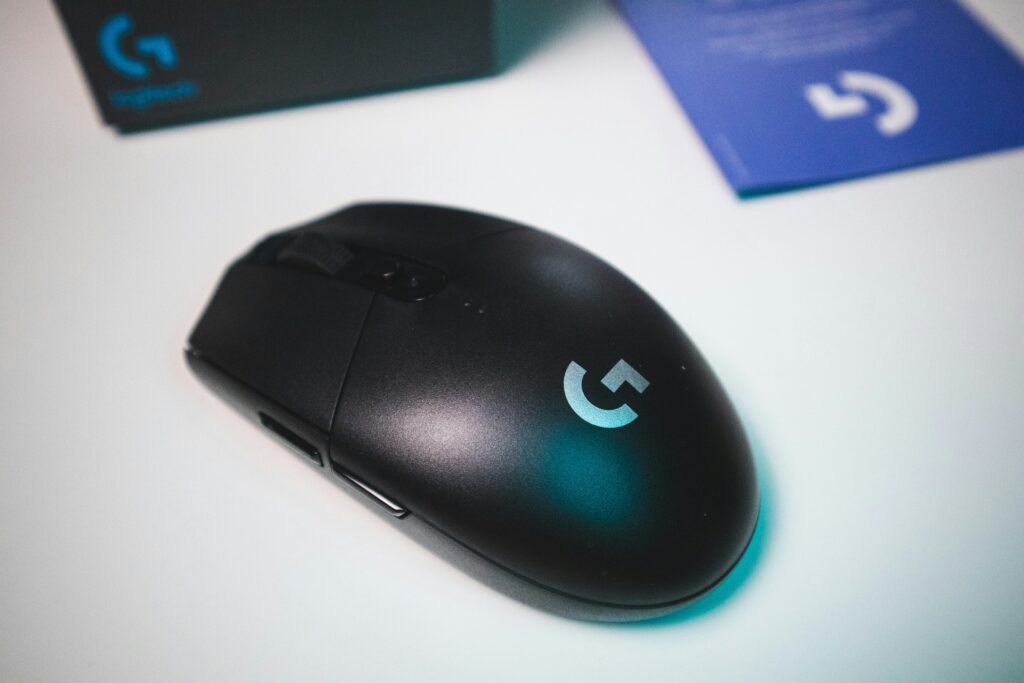
1. Logitech G102 LIGHTSYNC Gaming Mouse
Buttons
6 Programmable
RGB
LIGHTSYNC RGB
Price
₹1,499–₹2,199
Connection
Wired USB
The Logitech G102 LIGHTSYNC is, honestly, hard to beat under ₹2,000 in . It packs a high-precision optical sensor with DPI that goes from 200 all the way up to 8,000. In other words, you can switch between slow, pin-point aiming and fast sweeping swipes with just one button press — right in the middle of a match.
Weighing just 85g, it never feels tiring during long sessions. In addition, the 6 programmable buttons let you bind macros or in-game actions exactly where you want them. The LIGHTSYNC RGB is a nice touch too — it looks great on any gaming desk. So for the price, you really are getting a lot.
✅ Pros
- Precise 8,000 DPI optical sensor
- Lightweight 85g — great for FPS gaming
- 6 programmable buttons included
- LIGHTSYNC RGB — looks amazing
- Trusted Logitech brand quality
- Excellent price for budget
❌ Cons
- Wired only — no wireless option
- Side buttons feel slightly small
- Cable is non-braided
Who Should Buy This FPS players, MOBA fans, and anyone upgrading from a basic office mouse will feel the difference right away. Students on a tight budget will also find this mouse to be a smart, no-regret starting point. In short, it works for virtually every type of gamer.
★★★★★ 4.5/5
Logitech G102 Gaming Mouse
Logitech G102 LIGHTSYNC gaming mouse offers precise tracking, customizable RGB lighting, lightweight design, and responsive buttons, perfect for smooth and accurate gameplay.
Keyboard
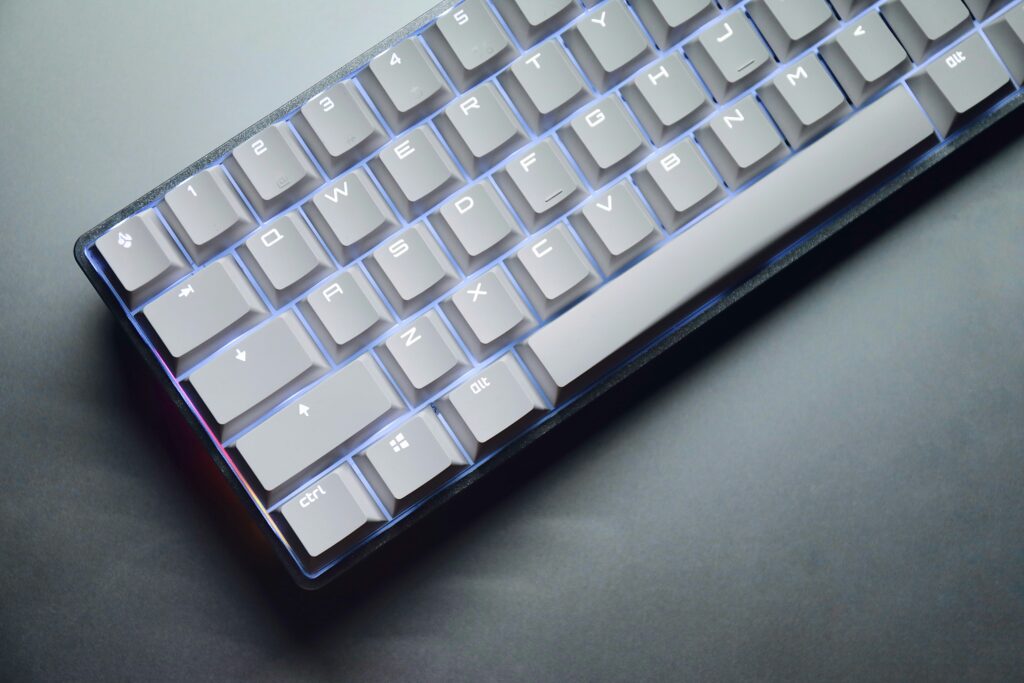
2. Mechanical Gaming Keyboard — Feel Every Keypress
Switches
Outemu Blue
RGB
yes
Price
₹1,999–₹3,299
Connection
Wired USB
What the Redragon K552 does at under ₹3,000 is genuinely impressive. You get real mechanical switches and full RGB lighting — features that usually cost twice as much. The TKL layout removes the numpad, which, in turn, gives your mouse hand a lot more room to move. That extra space makes a real difference during long gaming sessions
✅ Pros
- Real mechanical switches under ₹3,000
- TKL layout — more mouse desk space
- Metal top plate — premium feel
- RGB backlight with multiple modes
- Anti-ghosting for competitive gaming
- Plug-and-play — no software needed
❌ Cons
- Outemu switches — louder than Cherry MX
- Wired only — no wireless version
- Clicky noise not office-friendly
Who Should Buy Students, budget-conscious gamers, and first-time mechanical keyboard buyers will all enjoy the K552. It handles FPS titles like Valorant, BGMI, and CS2 very well. The RGB lighting, meanwhile, adds a great visual punch to any gaming room without costing extra.
★★★★★ 4.8/5
Mechanical Gaming Keyboard — Feel Every Keypress
Mechanical gaming keyboards deliver tactile feedback, faster response, and durability, making every keypress precise and satisfying for gaming, typing, and long sessions.
Gaming Headset
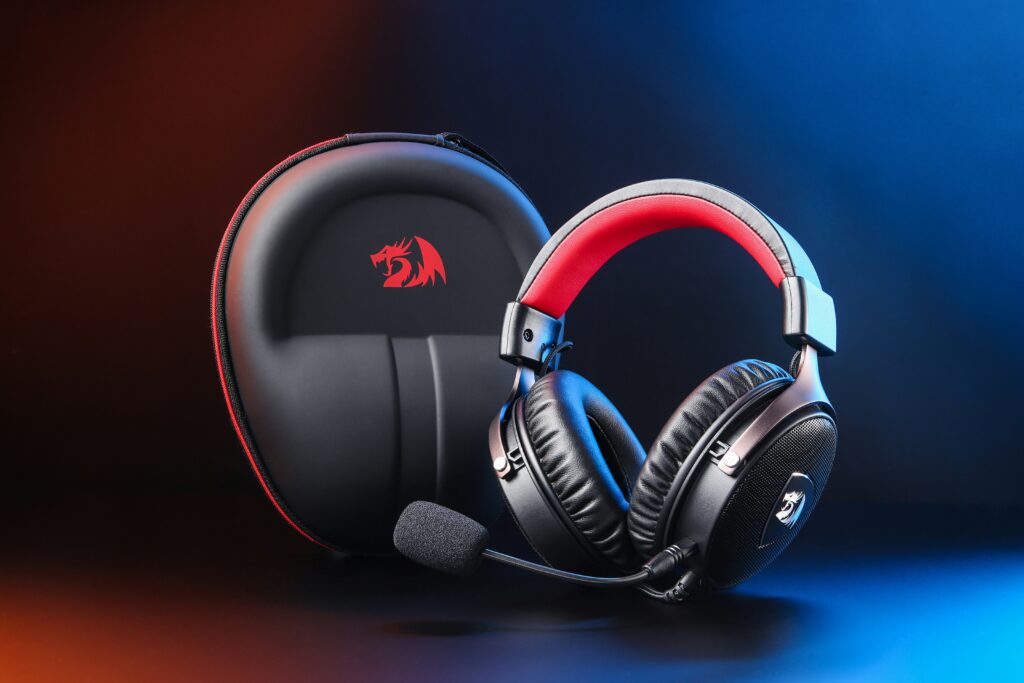
3. Gaming Headset — Hear Everything Your Enemies Don’t Want You To
Mic
Swivel-to-Mute
Frequency
20Hz–20kHz
Price
₹2,999–₹3,999
Connection
Wired USB
The HyperX Cloud Stinger Core punches well above its price. The 40mm directional drivers give you a clear sense of where sounds are coming from — footsteps, gunshots, reloads. That kind of audio awareness is a genuine advantage in games like Valorant and BGMI, where positioning everything.
The swivel-to-mute mic is one of those small features you quickly come to rely on. Flip it up to mute, flip it down to talk — no fumbling with buttons mid-round. In addition, the in-line volume dial means you can adjust audio on the fly without ever leaving the game. At 275g, it stays comfortable over long sessions too
✅ Pros
- Excellent directional audio for gaming
- Swivel-to-mute mic — very convenient
- Lightweight and comfortable design
- Works on PC, PS4, Xbox, and mobile
- Trusted HyperX gaming brand
- In-line volume control include
❌ Cons
- Non-detachable mic limits versatility
- Plastic build — not very premium feel
- Bass can feel slightly weak
Who Should Buy This If you play Valorant, BGMI, Call of Duty, or any multiplayer game seriously, this headset is for you. Console gamers on PS4 or Xbox will also find it works right out of the box. In short, it covers every major gaming platform available in without any fuss.
★★★★☆ 4.2 / 5
Gaming Headset
Comfortable gaming headset with immersive sound, clear microphone, noise isolation, adjustable fit, durable design, long sessions friendly, stylish look.
Gaming Monitor
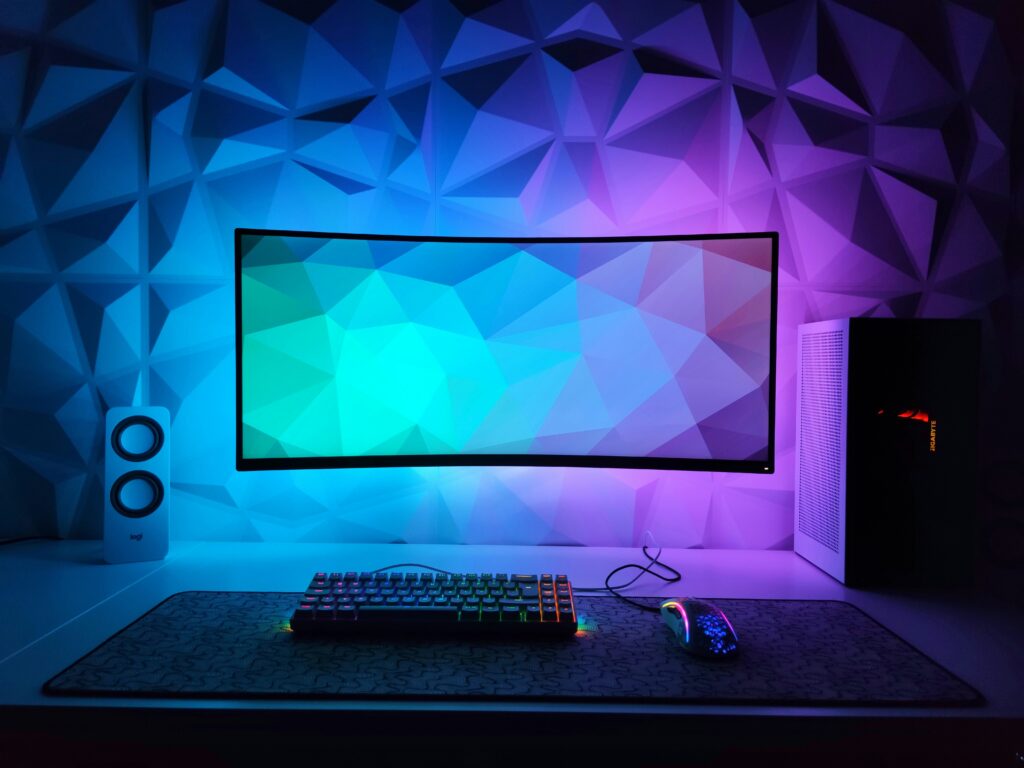
4. Gaming Monitor — See the Game at Its Best
Size
24 inch
Resolution
1920×1080 FHD
Price
₹9,999–₹12,999
Refresh Rate
75Hz
Gamers who want an IPS panel without stretching the budget, the LG 24MK430H is a strong choice. The jump from 60Hz to 75Hz might not sound huge on paper — but in practice, games like Valorant and BGMI feel noticeably smoother and more responsive on this display.
IPS panels are known for their accurate colours and wide viewing angles. In addition, AMD FreeSync support takes care of screen tearing entirely — no stutters, no distracting flickers. The thin-bezel design also looks clean on any gaming desk. Overall, it delivers solid quality for the price.
✅ Pros
- IPS panel — great color accuracy
- 75Hz — smoother than standard 60Hz
- AMD FreeSync — no screen tearing
- Borderless design looks clean
- Trusted LG brand reliability
- Good price for gamers
❌ Cons
- Only 75Hz — not ideal for esports
- Stand has limited adjustability
- No USB ports on monitor
Who Should Buy This Casual and mid-level gamers looking for a clean 24-inch FHD display under ₹12,000 will find this a great fit. Students and work-from-home users will also appreciate the IPS colour accuracy for everyday tasks. In other words, it handles both gaming and regular use very well..
★★★★★ 4.5/5
LG 24MK430H 24″ FHD Gaming Monitor
24-inch FHD IPS gaming monitor with FreeSync, smooth performance, vibrant colors, wide viewing angles, low input lag, sleek design
Gaming Chair
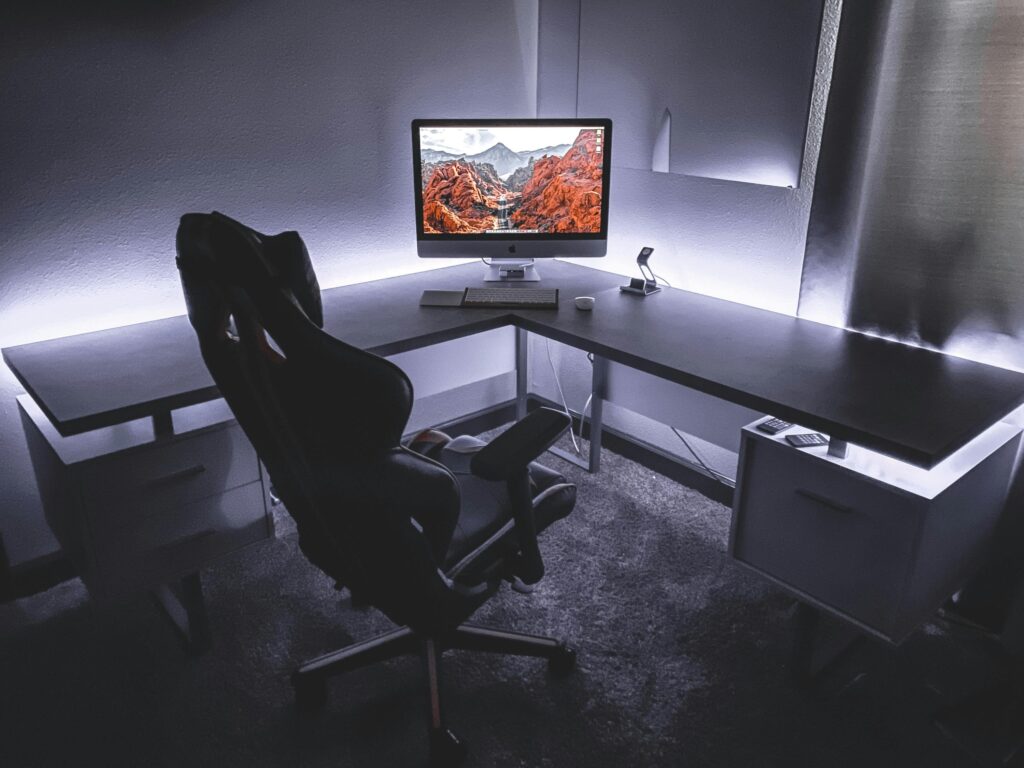
5. Gaming Chair — Protect Your Back During Long Sessions
Headrest
Adjustable
Recline
90°–180°
Price
₹12,999–₹16,999
Armrests
4D Adjustable
The Green Soul Monster Ultimate is the most popular gaming chair in — and it has earned that status. Being made in means better stock availability, faster delivery, and warranty support that is actually reachable. In other words, you get the product and the after-sales service in the same package.
The 4D adjustable armrests, lumbar cushion, and headrest pillow take care of your posture from multiple angles. The 180-degree recline is a nice bonus for resting between sessions. Moreover, the PU leather holds up well in weather — something cheaper imported chairs often fail at.
✅ Pros
- Made in — great local support
- 4D adjustable armrests
- 180-degree full recline
- Lumbar and headrest cushions included
- Durable PU leather build
- Best value gaming chair in
❌ Cons
- Slightly firm initially — needs break-in time
- Bulky — needs adequate room space
- PU leather can feel warm in summers
Who Should Buy This Gamers clocking 3 or more hours daily will feel the biggest difference. Students and work-from-home professionals who sit at a desk for long stretches will also benefit. In short, this chair handles both gaming and office use well — which makes it a smart buy for most households.
★★★★★ 4.6 / 5
Green Soul Monster Ultimate Gaming Chair
Green Soul Monster Ultimate gaming chair with ergonomic design, adjustable armrests, lumbar support, memory foam, smooth recline, durable build, long hours comfort
6. Extended Mouse Pad — The Cheapest Performance Upgrade
Size
930×300mm
Surface
Anti-Fray Cloth
Price
₹1,499–₹2,499
Thickness
3mm
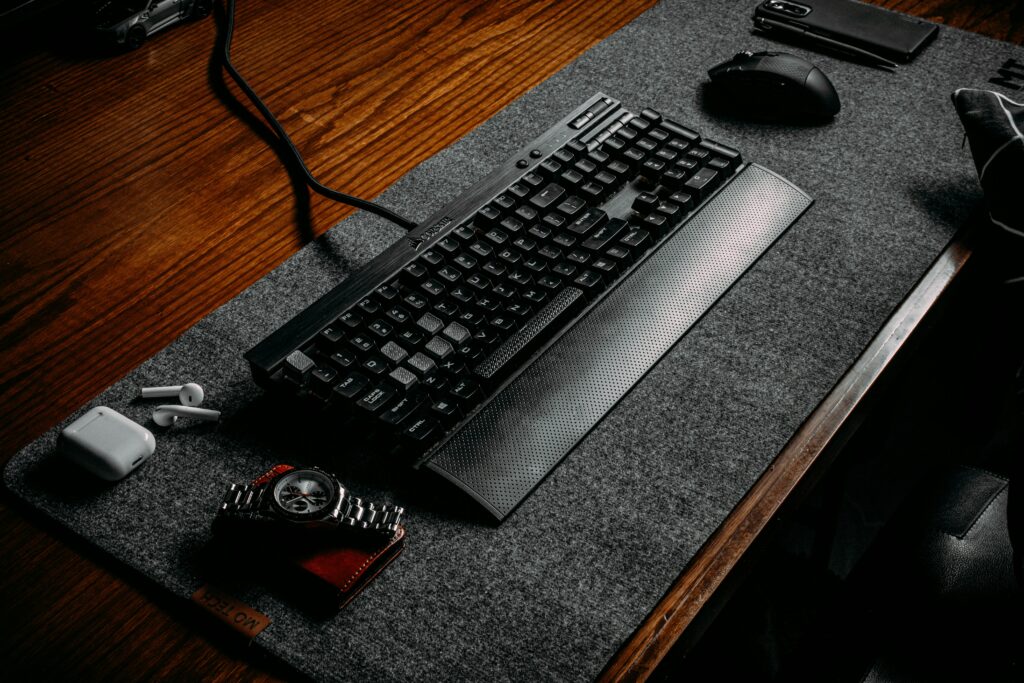
The Corsair MM300 stretches across your full desk and keeps your tracking consistent from edge to edge. The stitched anti-fray border is a practical touch — it stops the edges from peeling or fraying over months of daily use. In other words, this pad is built to last, not just to look good on day one.
Underneath, the rubber base grips firmly and does not shift even during aggressive swipes. The 3mm thickness also adds a light cushion for your wrist. Under ₹2,000 in , honestly, there is no reason not to own one. Every gamer — casual or competitive — should have this on their desk.
✅ Pros
- Full desk coverage — very large
- Anti-fray stitched edges — durable
- Non-slip rubber base — stays fixed
- Smooth surface for all mouse types
- 3mm cushioned thickness
- Excellent value under ₹2,000
❌ Cons
- Cloth surface absorbs sweat in summers
- Takes a few days to flatten fully
Who Should Buy This FPS, RTS, and MOBA players all need a large mouse surface — full stop. For desks that tend to show wear quickly, it doubles as a decent protective cover too. In short, it is a practical buy that improves your gaming and protects your desk at the same time.
★★★★★ 4.6 / 5
Corsair MM300 Extended Gaming Mouse Pad
Extended mouse pad offering smooth glide, precise control, large surface, anti-slip base, durable stitching, enhances gaming performance, budget friendly upgrade
7. Logitech C920 HD Pro — for YouTube & Streaming
Resolution
Full HD 1080p
Microphone
Dual stereo mics
Price
₹6,500–₹7,500
Field of View
78° wide angle
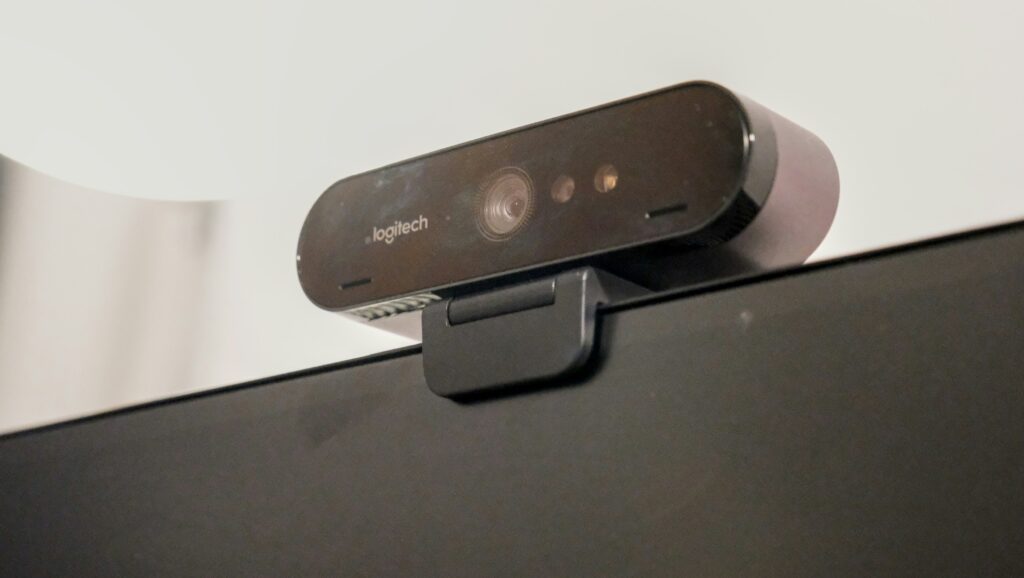
Logitech C920 HD Pro webcam is one of the best budget cameras for gaming and streaming under ₹7,000 in . It delivers sharp 1080p video quality, clear stereo audio, and reliable performance for YouTube creators, Twitch streamers, and online meetings. Easy plug and play setup makes it beginner friendly.
Underneath, the rubber base grips firmly and does not shift even during aggressive swipes. The 3mm thickness also adds a light cushion for your wrist. Under ₹2,000 in , honestly, there is no reason not to own one. Every gamer — casual or competitive — should have this on their desk.
✅ Pros
- Full HD 1080p video quality
- Autofocus + light correction
- Dual stereo microphones
- Works with OBS, Zoom, YouTube
- Easy plug-and-play setup
- +Great for beginners & streamers
❌ Cons
- 30fps limit (no 60fps at 1080p)
- Built-in mic is average
- Low-light performance needs good lighting
Who Should Buy This Beginner YouTubers, streamers, and students looking for an affordable webcam under ₹7,000 will find the C920 perfect. It works smoothly for streaming games like Valorant, BGMI, and CS2. With proper lighting, it delivers professional-looking video quality for content creation and live streaming setups.
★★★★★ 4.7/5
Logitech C920 HD Pro
Logitech C920 HD Pro offers sharp 1080p video, reliable autofocus, and clear audio. It’s ideal for gaming, streaming, video calls, and content creation with consistent performance.
🛒 Setup Guide
How to Build Your Gaming Setup — Step by Step
You do not need to buy everything at once. In fact, spreading the cost over a few months is often the smarter move. The key is buying things in the right order — so you are always upgrading the parts that affect your gameplay the most. Therefore, here is the priority order to follow when building your gaming setup in 2026.
1
Gaming Mouse
Start here. The mouse has the most direct effect on your aim and reaction time. Even a budget option like the G102 at ₹1,799 feels like a completely different device compared to a standard office mouse. Therefore, this is where your money should go first.
3
Gaming Headset
Third on the list is a headset. Clear directional audio gives you a real edge in multiplayer games — you hear enemy positions before you see them. In addition, a good mic means your teammates can actually hear your callouts, which matters more than most people realise.
5
Gaming Monitor
Upgrade your monitor when the budget allows. A 75Hz or higher display makes movement noticeably smoother. Moreover, AMD FreeSync eliminates screen tearing permanently — no more stutters or flickers during gameplay. As a result, everything just looks and feels more polished.
2
Gaming Keyboard
Next, add a mechanical keyboard. Tactile switches help reduce missed inputs, especially in tense moments. In addition, anti-ghosting means all your key combos register properly — which is critical in titles like Valorant and BGMI where one missed input can cost you a round.
4
Extended Mouse Pad
This one costs almost nothing but improves your tracking noticeably. An extended pad gives your mouse a consistent surface across the whole desk. Do not underestimate it — in fact, many competitive players say the mouse pad had a bigger impact on their aim than the mouse itself.
6
Gaming Chair
Save the chair for last — but do not skip it forever. Long sessions in a bad chair cause real pain over time. Think of it less as a gaming purchase and more as a health investment. Over months of daily use, a proper ergonomic chair makes a noticeable difference to your posture and focus.
💡 Pro Tip for Gamers
Always buy gaming accessories from Amazon or Flipkart to get genuine products with a valid warranty. Social media marketplaces, however, are full of extremely cheap listings that often turn out to be fakes — and they break within weeks. Therefore, look for products that clearly mention a 1-year warranty before checking out. That one step protects you from a lot of headaches down the road.
FAQ